How to Check if an APK File Is Safe Before You Install It
How to Check if an APK File Is Safe Before You Install It
You cannot know for sure. No tool can promise that a file is clean. What you can do is cut the risk down to a small number. Six checks take about two minutes together and they catch most bad files before the file ever reaches your phone.
This guide walks through those six checks in order. Each one is simple and you need no special tool for any of them.
Step One Check the File Name and Size.
Start with the name of the file. A real app file carries the app name and a version number. A file called game mod final or whatsapp gold is a warning sign. Real developers never put words like mod gold or cracked inside a file name.
Then look at the size. A chat app usually sits under one hundred megabytes. A photo editor takes between forty and two hundred megabytes. When a small tool shows a size of eight hundred megabytes then something else is hidden inside that file.
Compare the size on the page with the size after the download. A mismatch means the download broke or the server sent a different file.
Step Two Check the Package Name.
Every Android app has a package name. It looks like com.company.app. You can find the package name of the real app on its page in the store.
Open the settings on your phone then open the apps list then pick the app and read the details. If the name does not match the original then you are holding a different app with a familiar icon. That is the oldest trick in the book.
Step Three Check the Signature.
A signature works like a digital stamp. The original app is signed with one key and a changed file carries a new key. This is why a modified app can never match the original signature.
You cannot close that gap and you should not try. Use it as information instead. A banking app or a wallet app will refuse to open when the signature does not match. That refusal is there to protect you.
Four Things to Compare First.
The table below shows what a good sign looks like beside a warning sign. Run this check before anything else.
| What you check | Good sign | Warning sign |
|---|---|---|
| File name | App name plus version | Mod gold cracked or final |
| File size | Close to the official size | Far bigger or far smaller |
| Package name | Matches the store page | Similar name with small edits |
| Signature | Original developer key | A new key from an unknown person |
Step Four Scan the File.
Scan the file before you install it. Two easy routes exist. You can upload the file to an online scanner or you can run a mobile security app on the file.
The online route is better because one upload tests the file against many engines at the same time. A small file takes about a minute and a heavy game takes a few minutes. Do not skip this step because the page looks friendly.
Step Five Read the Scan Report Correctly.
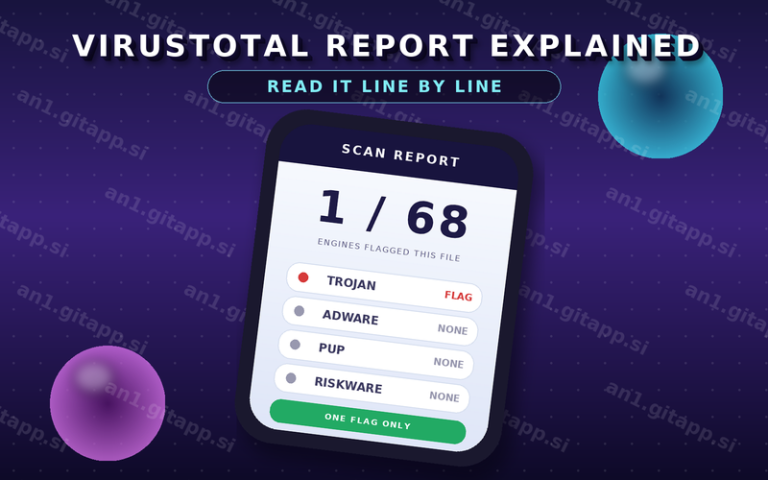
Most people read only the headline and stop there. That is where they go wrong. The number of flags matters less than the names of the engines that raised them.
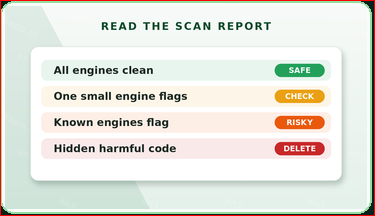
| What the report shows | What it means | What to do |
|---|---|---|
| All engines clean | No known threat was found | You may install with care |
| One or two small engines flag | Often ad code or a changed file | Read the full details first |
| Several known engines flag | A real threat is likely | Delete the file at once |
| Hidden harmful code listed | The file carries bad code | Never install it |
An alert from a small unknown engine often means nothing. The same alert from a well known engine deserves your attention. Hidden harmful code in the report means delete the file and do not look back.
Step Six Read the Comments and the Page.
Other users are your best alarm system. Read the comments under the file. A broken file gets reported within a day or two. Look for the words crash ban virus and fake inside those comments.
Then look at the page itself. A page that shows the file size the version and a scan link is a page that cares about readers. A page that hides every detail and pushes three download buttons is a page that only wants clicks.
The Permission Check Comes Before the Install.
Read the permission list on the install screen. A request that does not fit the job of the app is your final warning.
| Permission | Normal use | Warning sign |
|---|---|---|
| Storage | Reading game files | A tiny tool wants full access |
| Camera | Photo and video work | A puzzle game asks for it |
| Contacts | Chat and calling apps | Any game asks for them |
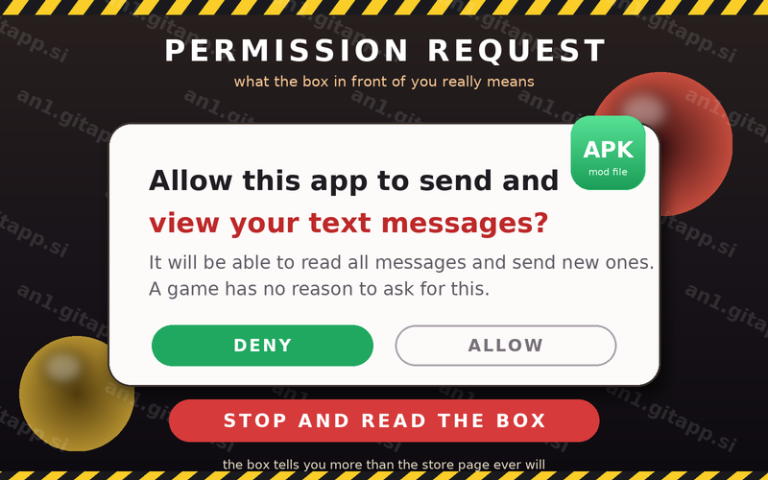
| Messages | Backup tools | A file reader wants them |
| Location | Map and ride apps | A wallpaper app asks for it |
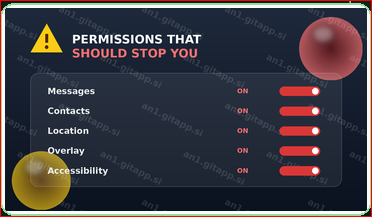
Two permissions need extra care. An overlay lets an app draw on top of other apps. Accessibility lets an app read the screen and press buttons for you. A file that asks for both powers holds full control of your phone.
Warning Signs You Should Never Ignore.
Some signs are loud and some are quiet. The quiet ones cause the most damage.
| Warning sign | Why it matters |
|---|---|
| A file name with mod gold or crack | Real files do not carry those words |
| A size far bigger than the original | Extra code hides inside the extra weight |
| Requests for messages or accessibility | These powers read your private screen |
| No comments and no feedback | Nobody has tested the file |
| Harmful code shown in the report | The file is not a game at all |
| Download tabs that open on their own | You pressed an ad and not a button |
How Bad Files Reach a Free Library.
A modder changes a file and puts it online. A free library then copies that file into its own list. Other libraries copy it again from the first one. Within a week the same file sits on ten pages and nobody along that chain has tested it.
This is why a big library is not proof of quality. It only proves that many pages copied the same thing. Your two minutes of checking is the only test that file will ever get.
What to Do If You Already Installed a Bad File.
Do not panic and do not keep using the app. Uninstall it first. Then open the settings and check which permissions that app had and revoke anything it still holds.
Change the password of every account that you used inside that app. Check your battery page and your data usage for strange activity over the next few days. Run one full scan with a mobile security app. If money apps were involved then call your bank on the same day.
A Simple Checklist Before You Tap Install.
Keep this list short and use it every single time.
File name looks normal. Size matches the page. Package name matches the real app. Scan result is clean or clearly explained. Permissions fit the job of the app. Comments show real users. One new file at a time. Backup is switched on.
What a Clean Result Does Not Mean.
A clean scan is not a promise. Scanners only know the code that they have seen before. New code walks past them for a few days at least. This is why the other checks still matter even after a clean report.
A clean file is also not a legal file. A cracked copy stays a cracked copy no matter what the scanner says. That part is about the law and not about the file.
Questions People Ask.
| Question | Short answer |
|---|---|
| Can I check a file without installing it | Yes. Upload it to an online scanner |
| Is a clean scan a guarantee | No. It only means no engine caught it |
| Are paid scanners better than free ones | Not always. The method matters more |
| What if the file is an XAPK | Treat it the same. Scan it first |
| Should I test on a spare phone | Yes if you have one. It is the safest way |
| Do comments prove a file is safe | No. They only tell you what others met |
Final Word.
Two minutes of checking beats a week of trouble. Check the name and the size. Check the package name and the signature. Scan the file and read the whole report. Read the comments and the permission list. Then decide with a clear head.
If one check fails then stop. Another file waits on another page. Your data has no second copy.
Written by Malik Leclercq. I test every file on my own phone before I write about it. If you find a mistake in this guide then email me at ilyas3016339781@gmail.com and I will correct it on the page. For more help read the full AN1 guide on the home page.