Dangerous Android Permissions You Should Never Allow
Dangerous Android Permissions: Every app you install reaches for something on your phone. The camera. Your location. Your messages. Most of those requests are honest and the app needs them to work at all. A few of them are the kind you should never approve for a game or a mod file.
This page is a reference list. Keep it open the next time a permission dialog appears and check what you are being asked for before you tap anything.
A Permission Is a Key to a Room
Android does not let an app walk into any room it likes. Every part of the phone sits behind a door and each door has its own key. When an app asks for a permission it is asking for one of those keys. The dialog you see is the door handle.
Two things decide how much a key is worth. The first is what sits inside the room. A key to the vibration motor is worth almost nothing. A key to your message inbox is worth a lot. The second is who is holding the key. A messaging app asking for message access makes sense. A chess game asking for the same thing does not.
Read every request against those two questions. What is behind the door and does this app have a reason to be here.
Permissions That Are Normal in Most Apps
Start with the harmless end of the list so you can recognise it later. These requests appear in thousands of clean apps and they are not a reason to stop anything.
| Internet access | Lets the app load pages and ads and check for updates | Normal for almost every free app |
| Vibrate | Makes the phone buzz for alerts and feedback | Normal and harmless |
| Keep the phone awake | Stops the screen from sleeping during a download or a level | Normal in games and players |
| Show notifications | Posts alerts in your notification shade | Normal but you can switch it off without breaking the app |
| Photos and videos | Reads and saves media files you pick yourself | Normal for editors and camera apps |
| Camera and microphone | Records when you are using the app on screen | Normal for calls and video apps. Ask why a game wants it |
The Full Reference List of Fifteen Permissions
Below is the list most people search for. The last column is the part that matters for a mod file since the original app store version and the modded version often ask for different things.
| Internet access | Loads pages and ads and sync data with a server | Almost every app | Fine |
| Vibrate | Buzzes the phone on alerts | Games and messengers | Fine |
| Keep the phone awake | Stops the screen from sleeping while working | Players and games | Fine |
| Show notifications | Puts alerts in the shade | Most apps | Fine but switch it off if you like |
| Photos and videos | Reads and saves the media you select | Editors and sharing apps | Fine when you choose the files |
| Camera | Uses the lens while the app is open | Camera and video apps | Odd in a game or a tool |
| Microphone | Records sound | Call and voice apps | Odd in a game or a tool |
| Precise location | Knows where the phone is | Maps and delivery apps | Odd in a puzzle game |
| Location in the background | Knows where you are even when the app is closed | Very few apps | Stop here in almost every case |
| Start on boot | Opens itself again after a restart | Keyboards and launchers | Suspicious in a game |
| Phone identity | Reads device identifiers such as the model and the network state | Banks and carriers | Common in tracking code |
| Contacts | Reads your address book | Messengers and dialers | Rarely needed in a game |
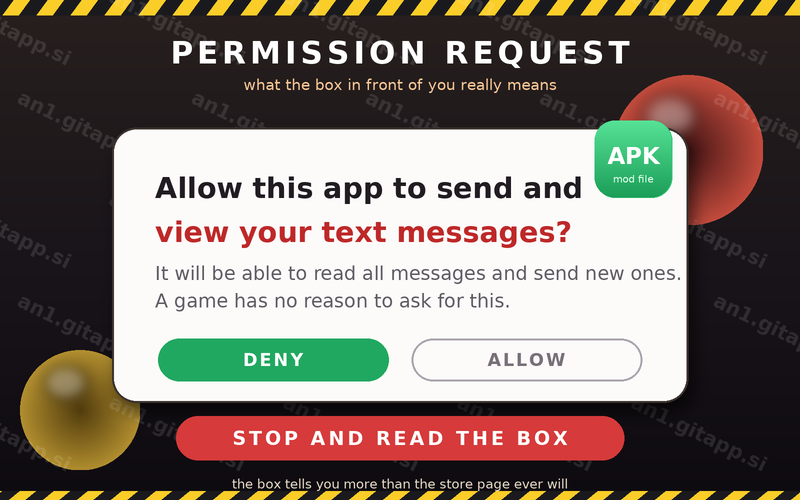
| Read messages | Reads the messages on your phone | Messaging apps you choose | Never give this to a game |
| Send messages | Sends messages from your number without asking again | Almost nothing | Stop the install |
| Install other apps | Downloads and installs more files on its own | Stores and updaters | Stop the install |
The Six Red Flags in One View
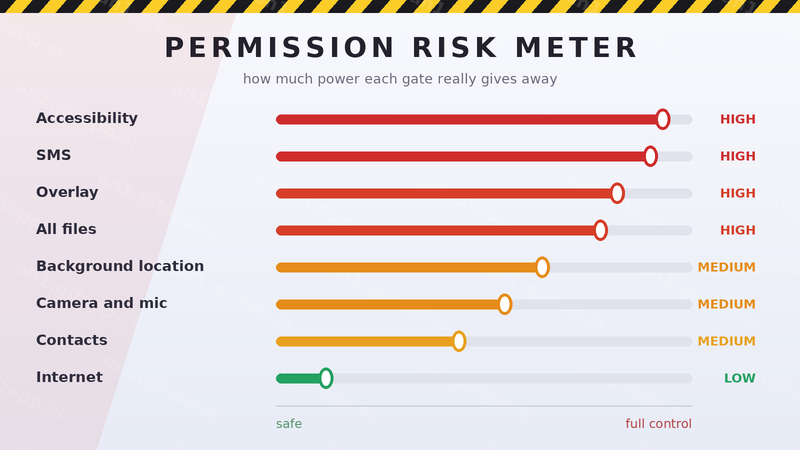
If you remember nothing else from this page then remember these six. Each one gives an app power that no game or wallpaper or photo filter needs.
| Read messages | Sees every code and every private chat on the phone | Open the one time codes that your bank sends |
| Send messages | Signs you up to paid services from your own number | Charge you without a single tap |
| Call numbers | Dials premium numbers while the screen is off | Empty your balance overnight |
| All files access | Reads every folder on internal storage and the card | Copy documents and photos that were never meant to leave |
| Install other apps | Brings in more files after the first install | Turn one bad file into five |
| Device administrator | Locks the phone and can erase it | Hold your own phone against you |
Overlay: The Permission That Draws on Top of Your Screen
The overlay permission lets an app draw its own picture over whatever is open. It was built for chat bubbles and floating widgets. It is also the trick behind the oldest scam on Android.
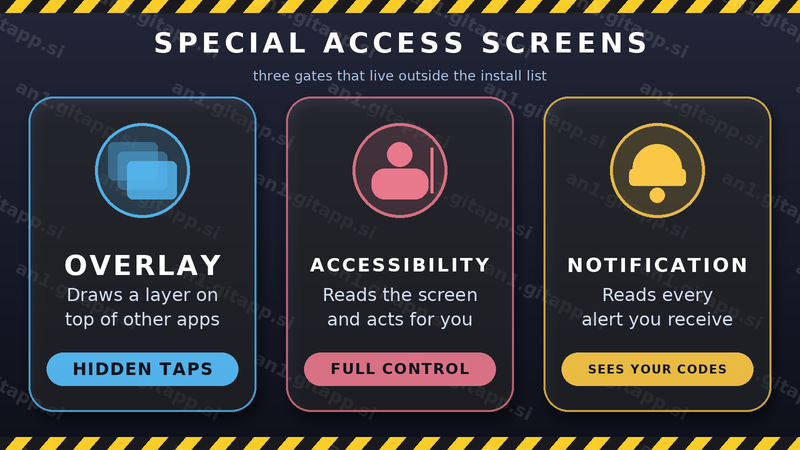
Here is how the trick works. You open your banking app. The bad file draws a perfect copy of the bank login screen on top of the real one. Your taps go to the fake screen and your password goes to the person who drew it. The real app never sees a thing.
The same trick works on any login page and on any payment step. The warning sign is simple. If a dialog or a keyboard or a login box appears over an app that should be alone on screen then something else is drawing there. Close everything and check which app holds the overlay right.
Accessibility: The Strongest Switch on the Phone
The accessibility service was designed for people who cannot use a touchscreen easily. It reads what is on the screen and it can also tap and type for the user. Nothing on Android is more powerful.
A file that holds this switch can read your messages as they arrive. It can tap buttons inside other apps. It can approve payments. It can also hide itself from the app list so that you never find it afterwards. No game needs this power. No mod file needs this power. Treat every request for it as hostile.
Why a Mod File Asks for More Than the Game Needs
A mod file starts life as the real app. Then somebody opens it and changes the code. Two things happen at that point.
- Ad code gets removed and something else gets added. The empty space is often filled with a new network library that wants to know where you are and who you call.
- The signature no longer matches. Some mod files add a second layer so that the altered app looks normal to the store checks. That layer is where extra permissions usually hide.
- Bundled helpers arrive with it. A small update tool or a floating menu comes along and it wants overlay and install rights to work.
This is why the same game can ask for four permissions from the store and eleven permissions from a mod page. The extra seven came from the person who edited the file and not from the game studio.
What to Do When the Dialog Appears
Four questions take ten seconds and they settle almost every case.
- Does the app need this to do its main job. A camera app needs the camera. A wallpaper app does not.
- Did the request arrive at a strange moment. A permission box that opens while you are opening a settings page is a red flag.
- Can it wait until later. Deny for now and see what stops working. Honest apps still work with less.
- Is the app asking for more than the store version. Compare the two lists. Extra requests are the clearest sign of a changed file.
How to Review Permissions After the Install
Permissions can be taken back at any time. The menu moves a little between Android versions but the path stays the same.
| 1 | Open Settings then Apps | Find the app you just installed |
| 2 | Tap Permissions | Read the list from top to bottom |
| 3 | Tap any item that looks wrong | Change it to Do not allow |
| 4 | Look for Special app access | Check overlay and install rights here |
| 5 | Open Accessibility | Remove any app you do not recognise |
If the app stops working after you remove the things it should never have had then you have learned something useful. The file was leaning on powers that did not belong to it. Remove it with the uninstall button and look for a cleaner copy. The check before you install guide covers the other signs that go with a bad file and the scan report guide explains what the flags mean.
Two Fears That Are Mostly Unfounded
Not every scary sounding request is a trap. Two of them are usually fine.
Storage access is normal even when it sounds broad. Most apps need to save a file somewhere. The version to watch is the one called all files access because that one reaches into every folder and not just its own.
Notifications are a nuisance and not a danger. If an app floods you with ads then switch notifications off in the settings. The app itself may still be clean.
The Reference Card to Remember
Games and wallpapers and photo tools need very little. Internet with a clear reason. Storage for their own files. Maybe vibration. Everything past that list deserves a question. Messages and call history and all files access and install rights belong to a short list of apps and a game is never on it.