VirusTotal Report Explained: What a Clean Scan Really Means
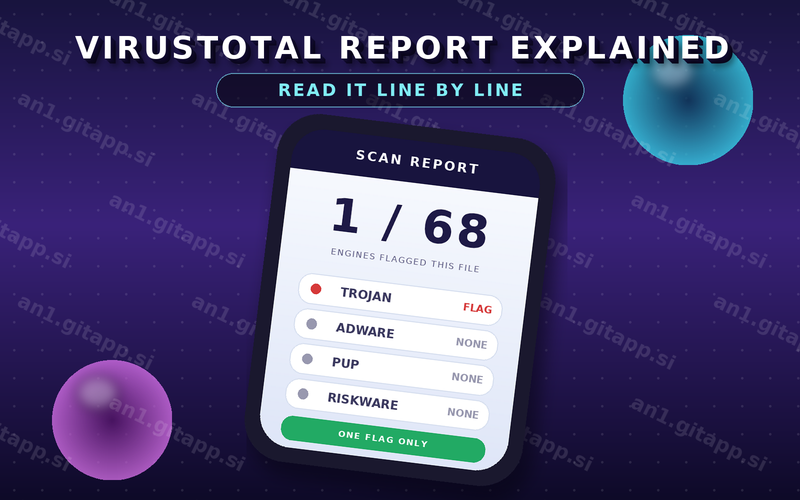
VirusTotal Report Explained: You scanned an APK file and now a page full of numbers is open in front of you. Some squares are green. One name sounds terrifying. The ratio says 1 out of 68 and you cannot decide if that is good news or a warning.
This page reads that report the way it appears on screen. Every line explained. No alarm and no false comfort.
What Happens When You Scan a File
A scanner does not install the app and use it like a person would. It looks at the file from the outside. It unpacks the package. It reads the code inside. It compares pieces of that code with harmful patterns it has seen before and with millions of other files in its memory.
Some scanners also run the file in a sealed machine for a minute or two and watch what it tries to do. That run is called a sandbox. Most APK scans do not go that far. They rely on reading the file only.
At the end you get one verdict per engine. Sixty or seventy engines take part. Each one gives its own answer and the report shows them side by side.
The Only Number Most People Look At
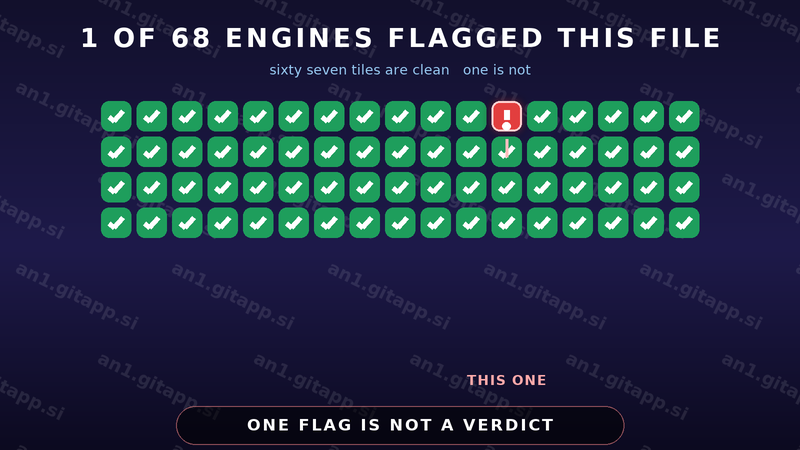
The number you see first is a ratio such as 0 out of 72 or 5 out of 72. It counts how many engines called the file harmful and how many were asked. The ratio is useful but it is only the starting point. Read it together with the names of the engines that flagged something.
| 0 out of 60 and above | Nothing was found by any engine | Continue with the other checks before you install |
| 1 to 3 flags | Usually small engines or engines that guess with machine learning | Read the detection names and look for the word adware or PUP |
| 4 to 9 flags | Several engines agree that something is not clean | Stop and read the details tab before you decide anything |
| 10 or more flags | Strong agreement across big and small engines | Delete the file. Do not install it on any phone |
Reading the Report From Top to Bottom
- Start with the file name and type. A report for an Android package should say that it is an Android package. If you scanned an app and the report describes a different file type then you uploaded the wrong thing.
- Look at the file size. Compare it with the size shown on the page you downloaded from. A file that shrank or grew by a large amount deserves a second look.
- Read the detection list one name at a time. A file is rarely a plain virus. Most flags describe ad code or extra toolboxes built into the app.
- Open the details tab. This part lists permissions the file asks for and the addresses it tries to reach.
- Check the community comments. People often post the same file name with a short note. Treat comments as hints and not as proof.
- Write down the file hash. The long string of letters and numbers under the report is the fingerprint. If you upload the file again and the hash is different then the file changed.
Why Engines Disagree With Each Other
Each engine uses its own rules and its own training files. Engines that work only with machine learning tend to flag new and unusual files by mistake. Modded files are unusual by design because somebody has changed the code on purpose. That change can look like tampering to a machine that has never seen anything like it.
The age of the file also matters. A file uploaded an hour ago has a small history. Give it a day and more engines will have looked at it. The same file can move from 3 flags to 1 flag without a single line of it changing.
There is no single engine that is always right. Weight comes from agreement. When two large antivirus companies and several smaller engines all raise the same name then the pattern is worth believing.
Detection Names Decoded
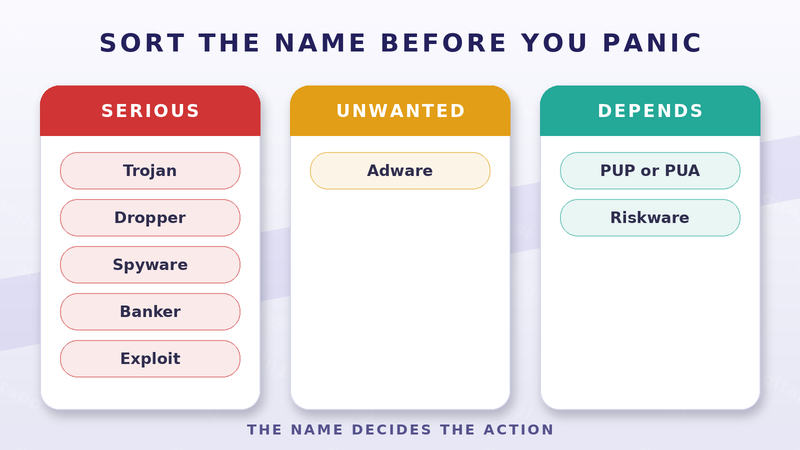
| Trojan | Hidden code that acts without your permission | Serious |
| Dropper | A file whose main job is to bring in another file | Serious |
| Spyware | Collects private data such as messages and location | Serious |
| Banker | Targets banking and payment apps on your phone | Serious |
| Adware | Shows ads that the app never told you about | Unwanted |
| PUP or PUA | A program many people would not choose on purpose | Depends |
| Riskware | A real tool that can be misused in the wrong hands | Depends |
| Exploit | Tries to break into a weak part of the system | Serious |
The words PUP and PUA stand for possibly unwanted program and possibly unwanted application. They are the same idea with a different label. Many mod files carry this label because of an ad library that came along with the mod.
PUP and Adware Are Not the Same as a Virus
A virus works against you in secret. Ad code and extra toolboxes usually work in the open and mostly waste your time. The difference matters because it decides how you act.
| PUP.Optional | Extra toolbox or ad network inside an app | Read the permission list before you install |
| Adware | Ad display code that hides itself from you | Treat it as unwanted and look for a cleaner file |
| Riskware | Automation or remote tools that can be abused | Decide if the app really needs that power |
| Trojan.Banker | Code that watches payment and banking apps | Remove the file and check your accounts |
False Positives Happen More Than You Think
A false positive is a flag on a file that is not harmful. It happens daily and it is not a rare accident. Four things bring it on.
- An ad library inside the app. Some of these libraries are used by clean and unclean apps alike.
- Compression that hides the real shape of the file. Protected code looks suspicious to an engine that cannot see inside it.
- A brand new file with almost no history. Little history means more guessing.
- Deliberate code changes. A mod edits the app on purpose and the edit can match a tampering pattern.
A false positive is still a reason to slow down. Say the flag is wrong and you proceed. Say the flag is right and you just saved your phone. The cheap action is to check one more time.
The Details Tab Most People Skip
The behaviour details list the parts of the phone the file reaches for. Read four things in that list. The permissions it asks for. The addresses it tries to reach. The actions it wants to run at startup. The folders it writes into.
Two patterns deserve a hard stop. Code that reads your messages and code that hides the app from the launcher. A mod that removes ads has no reason to read your inbox.
What a Clean Report Does Not Prove
A clean result says that nothing known was found in that file at that moment. It does not say very much else.
- It does not prove that the website which hosted the file is honest.
- It does not prove that the file will behave well after the install.
- It does not prove that the app respects your data.
- It does not prove that the same file will be offered to you tomorrow.
This is why a scan sits in the middle of a set of checks and not at the end of them. The full check list before an install covers the parts a scan cannot see.
Files You Should Never Upload
Public scanners share what you send them with partners and with their own researchers. That is how they learn. It is also why some files should stay off those pages. Never upload personal documents. Never upload photos that carry private details. Never upload a file that holds your own account data. An app package from a public library is fine. Your private papers are not.
A Second Opinion Takes a Minute
Judging one flag is easier when a second tool looks at the same file. Run the file through another public scanner and see if the same name appears. Then scan the phone itself with the protection that is built into Android and see if anything moves after the install.
When two independent tools point at the same thing then treat the result as real. When only one small engine complains and sixty others disagree then you are most likely looking at noise.
The One Line Summary
One flag on a popular file is usually noise. Many flags mean stop. Always read the name behind the colour because the name tells you whether the file is a threat or just an annoyance. And treat a clean report as permission to continue your checks and never as permission to stop thinking.
Where to Go Next
Scanning is one part of a safe install. The other parts are explained step by step in how to check if an APK file is safe before you install it. If you want to see how these files reach a public library in the first place then read the guide on the home page at AN1 APK guide.